HTML generated from Markdown underlines its hyperlinks, as shown below.
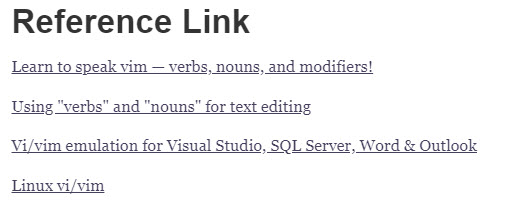
When you put a Markdown-exported HTML file into a blog post, the hyperlink underline style from the Markdown file affects every hyperlink on the page, as shown below.
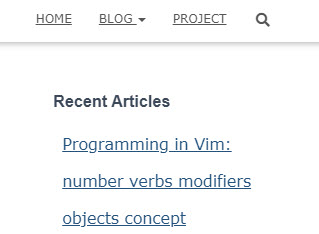
To fix it, in the HTML page exported from Markdown, change text-decoration: underline under a to text-decoration: none.
@media screen and (min-width: 64em) {
  .h1, h1 { font-size: 4.498rem; }
  .h2, h2 { font-size: 2.29rem; }
  .h3, h3 { font-size: 1.9rem; }
  .h4, h4 { font-size: 1.591rem; }
  #write > h4.md-focus::before { top: 4px; }
}
a { color: rgb(70, 63, 92); text-decoration: underline; }
#write { padding-top: 2rem; }
Change it to
@media screen and (min-width: 64em) {
  .h1, h1 { font-size: 4.498rem; }
  .h2, h2 { font-size: 2.29rem; }
  .h3, h3 { font-size: 1.9rem; }
  .h4, h4 { font-size: 1.591rem; }
  #write > h4.md-focus::before { top: 4px; }
}
a { color: rgb(70, 63, 92); text-decoration: none; }
#write { padding-top: 2rem; }
Also, delete the following line so it doesn’t affect the page font.
html { font-size: 14px; background-color: var(--bg-color); color: var(--text-color); font-family: "Helvetica Neue", Helvetica, Arial, sans-serif; -webkit-font-smoothing: antialiased; }
body { margin: 0px; padding: 0px; height: auto; bottom: 0px; top: 0px; left: 0px; right: 0px; font-size: 1rem; line-height: 1.42857; overflow-x: hidden; background: inherit; tab-size: 4; }
If you use the GitHub Markdown theme, delete the level-1 heading setting (the underline).
h1 { padding-bottom: 0.3em; font-size: 2.25em; line-height: 1.2; border-bottom: 1px solid rgb(238, 238, 238); }Delete the font
<title>Markdown导出HTML,删除超链接下划线</title><link href='https://fonts.loli.net/css?family=Open+Sans:400italic,700italic,700,400&subset=latin,latin-ext' rel='stylesheet' type='text/css' />

0 Comments